
ERP System in Egypt: ERP vs CRM and When Your Company Needs One
By Keys of Success team Published Updated Reviewed by Ali Darwish 6 min read
What an ERP system in Egypt does, how it differs from a CRM, the signs your company has outgrown spreadsheets, and how to roll one out without stopping work.
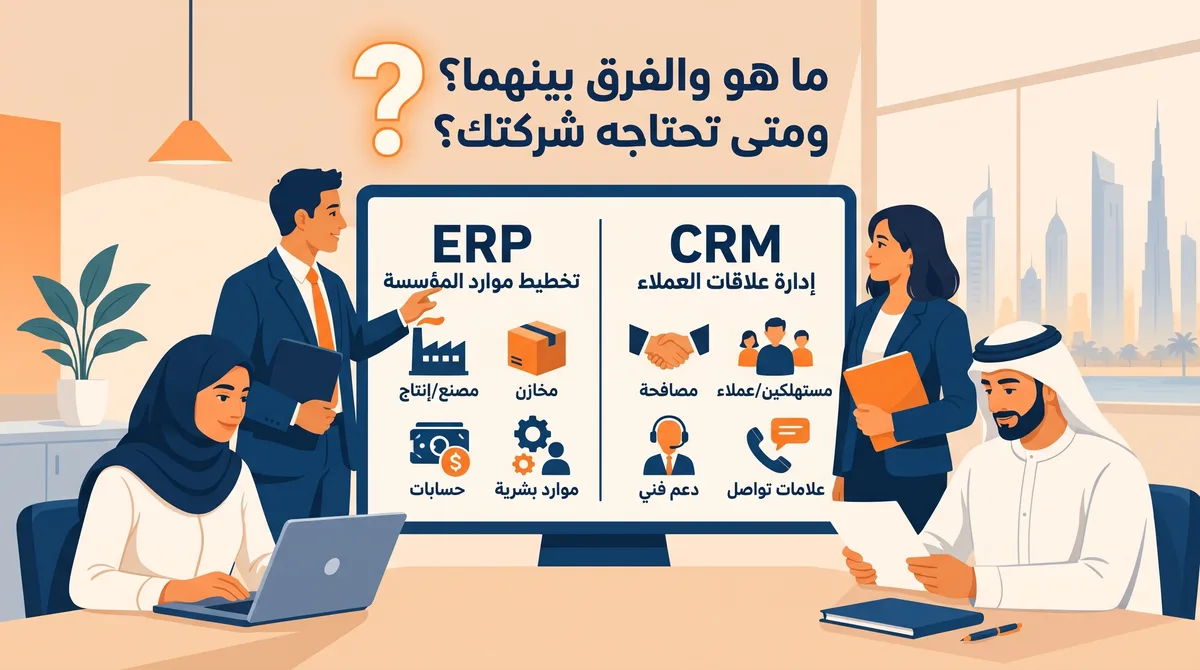
An ERP system in Egypt links sales, HR, attendance, payroll, finance and approvals in one database, while a CRM covers only leads, clients and deals. Start with a CRM for sales problems; move to an ERP when departments keep separate versions of the truth.
An ERP system in Egypt connects a company's departments in one database: sales, HR, attendance, finance, inventory and approvals. A CRM covers only the customer side: leads, clients and deals. You need an ERP when separate tools stop talking to each other and managers spend days building one report from five spreadsheets.
What ERP software does
ERP stands for enterprise resource planning. In practice it means one system where each department works in its own screens, but on the same data. When a salesperson closes a deal, finance sees the amount due, HR sees the commission owed, and management sees the month's result, without anyone copying numbers between files.
A typical ERP includes modules such as sales or CRM, HR and attendance, payroll, accounting, purchasing and inventory, plus approvals and reports across all of them. Not every company needs every module. A services company may never touch inventory, while a factory cannot live without it.
ERP vs CRM: the real difference
The two are often confused because many ERPs include a CRM module, and some CRMs grow towards ERP features. The question is scope: one team or the whole company.
| Point | CRM | ERP |
|---|---|---|
| Main users | Sales, marketing, customer service | Every department, from HR to finance |
| Core data | Leads, clients, deals, conversations | Employees, money, stock, approvals, plus customers |
| Main question it answers | Who are our clients and what is the next step with each | How is the whole company running, today |
| Typical starting point | A sales team outgrowing WhatsApp and spreadsheets | A company outgrowing several disconnected tools |
| Rollout | Weeks, one team at a time | Phased, department by department |
If your main pain is lost leads and weak sales follow-up, start with a CRM. If the pain is that sales, HR and finance each have their own version of the truth, you are looking at an ERP.
Signs your company needs an ERP system in Egypt
- The month-end report takes days. Someone collects files from each department and reconciles them by hand.
- Attendance and leave live on paper or in a separate app. Payroll then depends on someone typing the numbers again.
- Commissions cause arguments. Sales records and finance records do not match, so every payout needs a meeting.
- Approvals happen on WhatsApp. Purchase requests, leave requests and discounts are approved in chats that nobody can audit later.
- New branches copy the mess. Each new office in New Cairo, Sheikh Zayed or Riyadh starts its own spreadsheets.
- Employee files are scattered. Contracts, IDs and custody records sit in different folders and drawers.
If three or more of these signs sound familiar, book a free ERP consultation. We will map where your data breaks today and which module should come first.
How to choose ERP software: ready-made, open-source or custom
There is no single best ERP system in Egypt for every company. There are three common routes, each with a different trade-off:
- Ready-made ERP: fast to start and proven, but you adapt your process to the system. Check Arabic support, local payroll rules and how it connects to the Egyptian Tax Authority's e-invoice system if you need it.
- Open-source ERP: no licence fee for the core, but implementation, hosting, customisation and support still cost time and money, and you need a partner who knows the code.
- Custom or industry ERP: built around your sector and your process. It fits best, and it needs a clear scope and a partner who stays after launch.
Accounting deserves a special note. Many companies already use an accounting program they trust. A good ERP can either replace it or connect to it. Forcing an accountant to change tools in the middle of the financial year is a common source of trouble.
How to roll out ERP software without stopping the business
- Map the processes first. Write how each department works today, including the workarounds. This is where most problems show up.
- Pick the first module by pain. Often sales and CRM, or HR and attendance. Start where the cost of the current mess is highest.
- Clean the data before moving it. Client lists, employee files and opening balances should be checked before import.
- Run old and new side by side briefly. One cycle (a month of attendance, for example) is usually enough to trust the numbers.
- Train by role. A salesperson, an HR officer and a manager need different short sessions, in their own language.
- Add the next module. Only after the first one is used daily.
Mistakes to avoid
- Buying every module on day one. You pay for screens nobody opens, and the team gets overwhelmed.
- Copying paper forms into software. Use the move to remove steps, not to digitise bad ones.
- Leaving IT alone with the project. Each department needs an owner who decides how its module works.
- Ignoring the phone. Field teams and salespeople need to check in, request leave and log work from a mobile.
Who an ERP fits, and who should start smaller
- Good fit: companies where sales, HR and finance each keep their own records and month-end reconciliation takes days.
- Good fit: companies opening new branches that need the same processes everywhere.
- Start smaller: a sales-led business whose main problem is follow-up. A CRM first is faster and cheaper.
- Not yet: a company that has not agreed internally on how its processes should work. Map them first.
For real-estate companies: Dealora
If you run a brokerage, a real-estate sales company or a developer's sales team, you do not need to build an ERP from scratch. Keys of Success built Dealora, a real estate ERP, around how property sales work in Egypt and the Gulf. It starts with a CRM, developers and projects, a projects map and a Developer Sales index. The Growth plan adds a Social Inbox, WhatsApp campaigns, a marketing dashboard and task management. The Business plan adds HR: hiring with a careers page, attendance and leave with mobile check-in, HR requests, policies, document compliance and custody. The Enterprise plan adds payroll. It runs in Arabic and English, and you can try it free for 90 days on the Starter plan. Dealora has no accounting module, so your accountant keeps the accounting program they already use.
How Keys of Success helps
For other sectors, our custom software development team builds ERP systems and internal portals around how your company works, one module at a time, in Arabic and English. When the bigger task is moving the company off paper and scattered files, our digital transformation for companies service plans the order of changes with each department, so the ERP lands on organised processes. Before you choose any partner, our guide on how to choose a software development company in Egypt lists the questions to ask.
Write down the three reports your management waits longest for each month. Contact Keys of Success and we will show you whether a CRM, Dealora, or a custom ERP gets you there with the least disruption.
Frequently asked
What is ERP software used for?
ERP software runs a company's core operations in one system: sales or CRM, HR and attendance, payroll, accounting, purchasing, inventory and approvals. Its main value is shared data, so a deal closed in sales shows up in finance and in commissions without anyone retyping it, and management sees one set of numbers.
What is the difference between ERP and CRM?
A CRM manages customers: leads, clients, deals and sales follow-up. An ERP manages the whole company, including HR, money, stock and approvals, and often includes a CRM module. Choose a CRM when the problem is sales follow-up, and an ERP when departments work from separate, conflicting records.
Is there a free or open-source ERP?
Open-source ERPs exist and have no licence fee for the core software. They are not free to run: implementation, hosting, customisation, training and support all take time and money. They suit companies with a capable partner or in-house team that can maintain the system after launch.
What are examples of ERP systems?
ERPs come in three broad types: large general systems used across industries, open-source platforms that a partner customises, and industry-specific ERPs. Dealora, for example, is a real-estate ERP covering CRM and developers and projects, HR and attendance on its Business plan, and payroll on its Enterprise plan.
How long does it take to implement an ERP?
It depends on the number of modules, departments and the state of your data. A phased rollout that starts with one module and adds the next once it is used daily is safer than a single big launch, and it lets the business keep working throughout the change. With Keys of Success, scope and timeline are agreed in writing before work starts.
Related

Read next
- Real Estate Drip Campaign: Build a Follow-Up Sequence A step-by-step build of a real estate drip campaign for new property leads: the trigger, five messages over 14
- How to Get Real Estate Referrals: A Post-Closing Routine Referrals come from a routine, not a favor. Tag every closed deal, schedule follow-ups after handover, ask at
- All in One vs Separate Real Estate Software: How to Decide Five apps for CRM, WhatsApp, ad reports, HR and files cost a brokerage hours of re-typing and lost lead histor
- Lead to Deal Conversion Rate: How to Calculate It by Stage A step-by-step method to calculate your lead to deal conversion rate: fix the counting rules, follow one cohor