
Meta Custom Audiences for Property Leads: A CRM Stage Method
By Keys of Success Published Reviewed by Ali Darwish 8 min read
Turn CRM lead statuses into Meta custom audiences: the segments to build, the closed clients to exclude, how to check consent, refresh the lists and read results against cost per lead and closed deals.

To build Meta custom audiences for property leads, export one CRM segment per stage (cold leads, post-viewing, lost deals), remove closed clients and anyone without consent, upload each list as a customer list in Meta Ads Manager, refresh it on a fixed schedule, and judge it by cost per lead and closed deals.
Meta custom audiences for property leads work when each audience mirrors a stage in your CRM: cold leads who went quiet, buyers who have seen a unit, and deals that were lost. You export those segments, remove clients who already closed, check consent, upload each list as a customer list in Meta Ads Manager, and refresh it on a schedule. The audience is only as good as the CRM statuses behind it, so the method starts in the pipeline, not in the ad account.
What a customer list custom audience does for a brokerage
A customer list is made of identifiers you collected about people, such as email, phone number and address. Meta hashes them and matches them with its profiles, so you can reach those people on Facebook, Instagram and Audience Network. Meta does not share your list with other advertisers and does not tell you which individual users are in the audience. The same approach covers CRM data: customer file audiences can be built from information held in a customer relationship management system.
Two practical points affect planning. The more identifiers you supply for each person, the better the match rate, so a phone number plus an email beats either alone. And Meta does not learn new identifying information about your customers from the list. It only uses what you gave it for matching.
Before you start, check who can create the audience. Only the owner of the ad account connected to Meta Business Manager, or someone the owner has given admin or advertiser permissions, can do it. If the ad account is new or was recently linked to an existing account, it may take a few weeks before a customer list audience can be created. That timing varies, so do not plan a launch for the day after you open the account.
Which CRM segments become Meta custom audiences for property leads
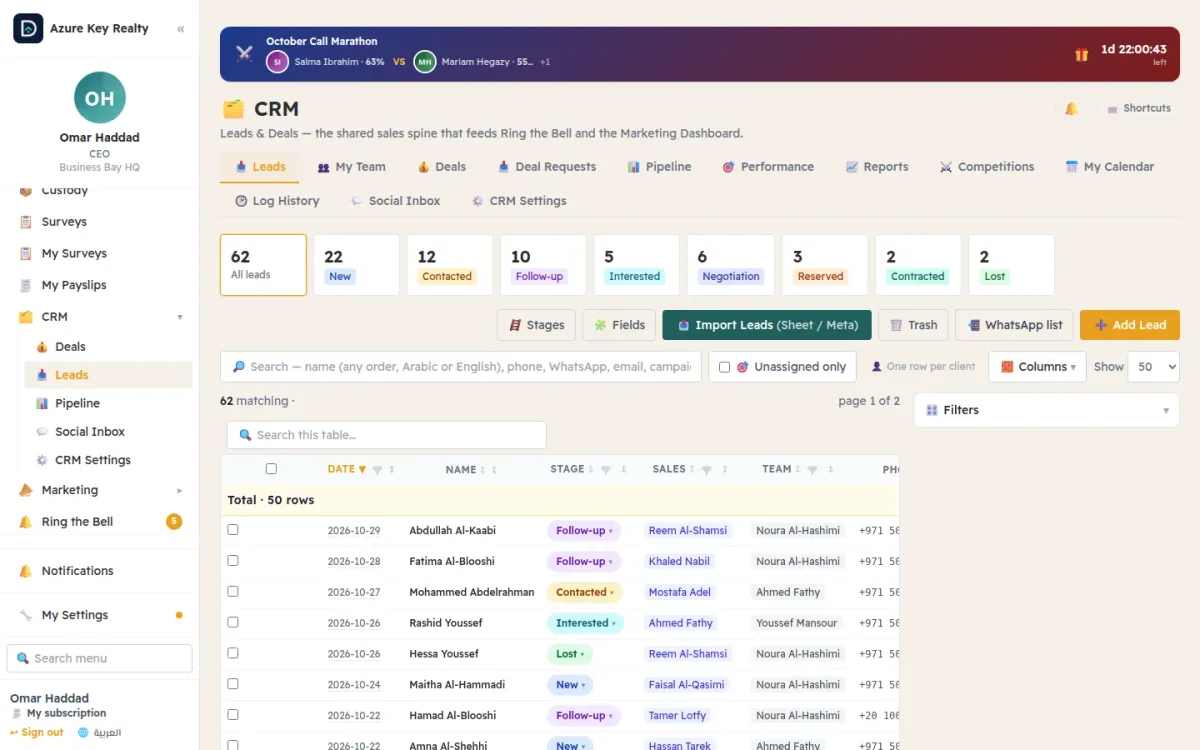
One audience per stage keeps the message honest. A buyer who walked through a unit last week needs a different ad from someone who enquired eight months ago. The stages below follow the map in property buying cycle stages with CRM statuses; rename them to match your own pipeline.
| Audience | CRM filter | What the ad should do |
|---|---|---|
| Cold leads | Enquired, no logged activity for a set period (for example 60 days), not lost, not closed | Show a new launch or a fresh payment plan that gives them a reason to reply |
| Post-viewing | Status set after a viewing, no reservation yet | Show the project they saw, a comparison with similar units, or a prompt to book a second visit |
| Lost deals | Marked lost, with a reason such as budget, location or timing | Match the ad to the reason: a lower-ticket project for budget, another area for location |
| Warm, not yet viewed | Qualified but no viewing booked | Show the project video and a clear booking call to action |
The lost-deals audience works because you already know why the buyer stopped, and the ad can answer that reason directly. If a lost reason is not recorded in the CRM, add that field first. The reactivation logic in reactivating old property leads applies here too, with ads in place of WhatsApp messages. For choosing between channels at each stage, see real estate retargeting tools by lead stage.
Which clients to exclude from ads
Excluding closed clients from ads is as important as targeting the others. A buyer who signed last month and keeps seeing the same promotion will notice, and the spend on them produces nothing. Build a separate audience of closed clients and exclude it from every campaign you run.
- Closed deals: every client with a won status, including old ones.
- Active negotiations: a salesperson is already talking to them, and an ad can undercut that conversation.
- Opt-outs: anyone who asked you to stop contacting them, through any channel.
- Staff and partners: employees, developer contacts and other brokers saved in the same database.
Closed clients are also your best source if you later test a lookalike audience in real estate, since they describe the buyers you actually want more of. Treat that as a second experiment, after the retargeting and exclusion lists are running cleanly.
How to prepare and consent-check the list
Meta's terms for customer list audiences put the legal responsibility on you. By accepting the terms, passing the list to Meta or using the audience for advertising, you warrant that you have all necessary rights, permissions and a lawful basis to disclose and use the list data under applicable laws, regulations and industry guidelines. Brokerages in Egypt, Saudi Arabia and the UAE work under different rules, so confirm yours with a qualified adviser rather than assuming.
A practical consent check before each upload:
- Add a consent field to the CRM record, filled when the lead first shares their details, with the source (form, call, walk-in).
- Filter out every contact without a yes in that field.
- Remove contacts who opted out or asked you to stop.
- Remove duplicates and obviously wrong emails and numbers.
- Keep a dated copy of the exact file you uploaded, so you can show what went to Meta.
On formatting, Meta's rules are specific. Under its terms, data such as emails and phone numbers is hashed locally before it is passed to Meta, and you instruct Meta to use it only for the matching process. If you send files through Meta's Marketing API, identifiers must be hashed with SHA256, and no other method is supported. Before hashing a phone number, remove symbols, letters and any leading zeroes. Entries with incorrect hashing return no match, are not added to the audience, and the API reports how many were invalid, so a high invalid count points to a formatting problem in your export, not a weak audience.
Step by step: from CRM export to Meta audience
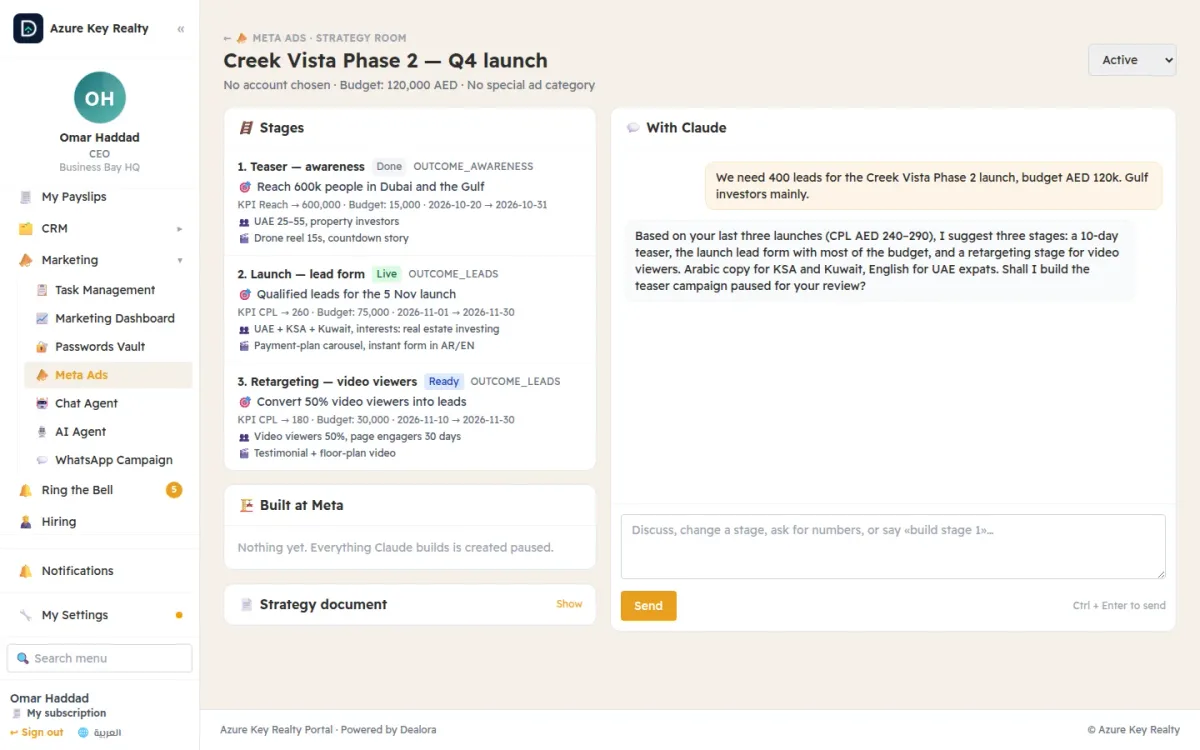
- Define the segment in the CRM. Filter by status, last activity date and lost reason. Save the filter so the next refresh uses identical rules.
- Export the list. Include phone and email as separate columns, plus first name and country if you hold them, since more identifiers improve matching. In Dealora, data export starts on the Growth plan; the Starter plan has no data export.
- Clean and consent-check it with the five checks above. Remove the closed-client list from the segment.
- Open Audiences in Meta Ads Manager. The path is Audiences, then Create Audience, then Custom Audience, then Customer list.
- Select the identifiers you are including, add the list, name the audience, and select Upload and Create. Use a name that carries the stage and the date, such as the segment and the month.
- Build the exclusion audience the same way from closed clients, and apply it to every campaign.
Naming matters more than it seems. Six months in, an audience called "list 3" tells nobody what it contains or when it was built.
How to refresh the audiences
An uploaded list is a snapshot. A buyer who reserved a unit yesterday stays in the cold-leads audience until you replace the list, which is how closed clients end up seeing retargeting ads. Match the refresh rhythm to the speed of each stage. These intervals are a starting suggestion, not a Meta rule:
- Post-viewing: weekly, because the stage changes fast.
- Cold and warm leads: every two to four weeks.
- Lost deals: monthly, with new lost reasons added as they appear.
- Closed clients (exclusion): after every closed deal, or at least weekly.
Put the refresh on a recurring task with one named owner, so it does not depend on someone remembering. The exclusion list comes first in that routine, since it protects the other audiences.
How to read the result against cost per lead and closed deals
In Meta Ads Manager, cost per result is the amount spent in the period divided by the number of results. It shows how cost-efficiently you reached the objective chosen for the campaign. Because a result is defined by that objective, it equals cost per lead only when the campaign goal is leads. A retargeting campaign set to messages or clicks reports a different result, so compare like with like.
Platform numbers stop at the lead. Property is sold after viewings, negotiation and paperwork, so the real test lives in the CRM:
- How many people in each audience booked a viewing after the campaign started?
- How many reached a reservation or a closed deal?
- What was the spend per closed deal for each audience, not only per lead?
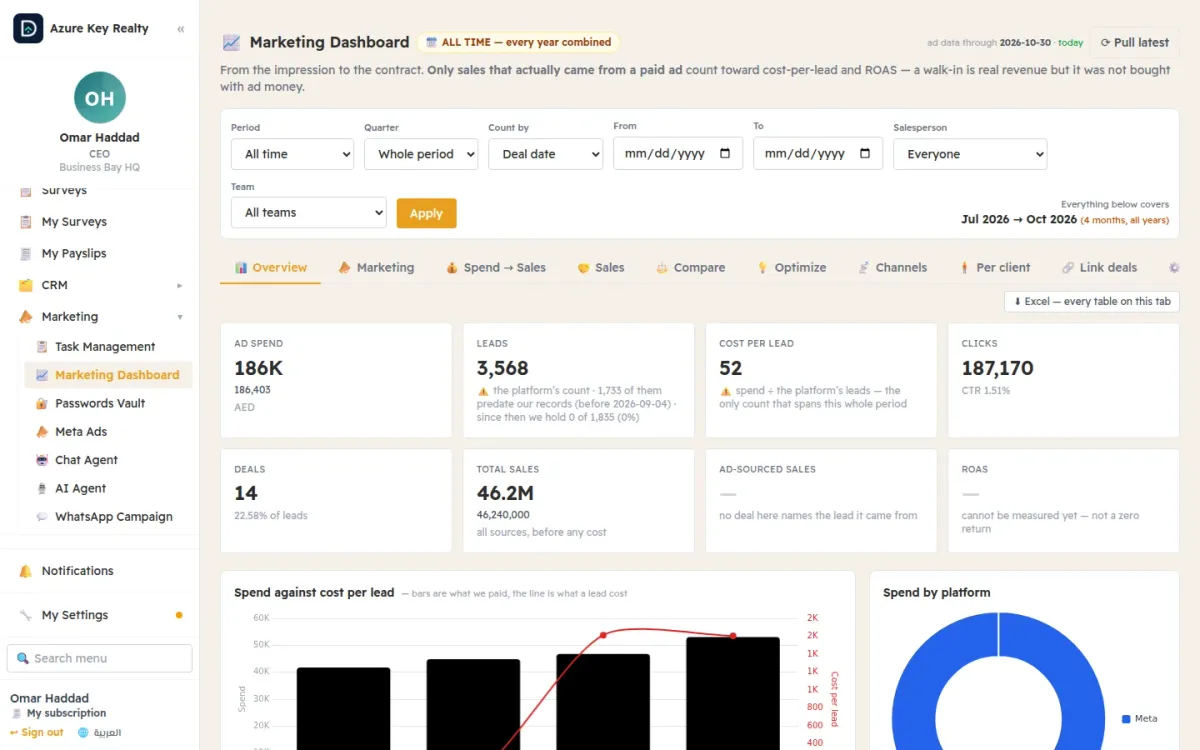
The Marketing Dashboard in Dealora shows spend, leads, cost per lead, deals and return on ad spend side by side, on the Growth plan and above. The step-by-step method in tracking leads from Meta Ads to closed deals shows how to carry the source from the ad to the deal. Expect some results to be statistically modelled where Meta cannot measure them directly, which is another reason to trust the CRM's closed-deal records for the final verdict.
Where Dealora fits
The audience method depends on two things: clean CRM stages and a place to run and measure campaigns. The Dealora CRM holds leads, clients, deals, the pipeline, sources and reports, and it is included on every plan, including the 3-month free trial on the Starter plan. That is enough to set up your stages, lost reasons and consent field and to test your segment filters before any ad spend. The trial does not include data export, so exporting a list for upload needs the Growth plan or above.
The Meta Ads module covers live Meta campaigns, strategies built with AI, and launch approvals. It is included on the Enterprise plan and is an add-on from Growth, charged as a monthly subscription, and it works only with your company's own Meta connection: its Facebook page, Instagram and WhatsApp Business number. Uploading a customer list is still done in Meta Ads Manager under your own ad account permissions, as described above. To judge whether the module fits your plan, read its page and talk to the Dealora team.
If your CRM stages are not yet clean, start there. You can create a free Dealora account and set up the pipeline on the Starter plan. For the wider picture of CRM and marketing in one system, see real estate CRM software for brokerages. If you want help planning the campaign side, Keys of Success offers an e-marketing service.
Sources
Frequently asked
What is a customer list custom audience in real estate?
It is an audience built from contact details you already hold, such as emails and phone numbers of people in your CRM. Meta hashes the identifiers and matches them with its profiles, so you can show ads to those people on Facebook, Instagram and Audience Network. Meta does not tell you which individual users matched.
Can I upload CRM leads to Meta Ads without asking their permission?
Not safely. Under Meta's customer list terms, you warrant that you have the rights, permissions and a lawful basis to disclose and use the list data under the laws that apply to you. Upload only contacts who gave their details for follow-up marketing, and check local rules with a qualified adviser.
Which property leads should I exclude from ads?
Exclude clients who have closed a deal with you, anyone who asked to stop receiving marketing, and leads in active negotiation with a salesperson. Showing a promotion to a buyer who already signed wastes spend and looks careless. Keep the exclusion list as its own audience and apply it to every campaign.
How often should I refresh a CRM audience?
Refresh on a fixed rhythm tied to how fast your pipeline moves, for example weekly for post-viewing leads and monthly for cold and lost leads. A list is a snapshot of what you uploaded, so people who changed stage since stay in it until you replace the list.
Is cost per lead the right measure for a retargeting audience?
Only partly. Meta's cost per result is spend divided by results, and it equals cost per lead only when the campaign objective is leads. For retargeting, also track how many people in each audience reached a viewing and a closed deal in your CRM, then compare cost per closed deal.
Can I build lookalike audiences from my closed clients?
A list of closed clients is the natural source to test if you later want a lookalike audience, because it describes the buyers you actually want more of. Start with the retargeting and exclusion lists first, since they depend only on data you already control.
Related

Read next
- Real Estate Drip Campaign: Build a Follow-Up Sequence A step-by-step build of a real estate drip campaign for new property leads: the trigger, five messages over 14
- How to Get Real Estate Referrals: A Post-Closing Routine Referrals come from a routine, not a favor. Tag every closed deal, schedule follow-ups after handover, ask at
- All in One vs Separate Real Estate Software: How to Decide Five apps for CRM, WhatsApp, ad reports, HR and files cost a brokerage hours of re-typing and lost lead histor
- Lead to Deal Conversion Rate: How to Calculate It by Stage A step-by-step method to calculate your lead to deal conversion rate: fix the counting rules, follow one cohor