
Lead to Deal Conversion Rate: How to Calculate It by Stage
By Keys of Success Published Reviewed by Ali Darwish 9 min read
A step-by-step method to calculate your lead to deal conversion rate: fix the counting rules, follow one cohort through each pipeline stage, split by source, and read the result.

Lead to deal conversion rate is the number of closed deals from a group of leads divided by the number of leads in that group, times 100. Choose leads by the month they were created, follow that same group through every pipeline stage, and repeat the calculation for each lead source.
Your lead to deal conversion rate is the share of leads in a group that end as closed deals: closed deals divided by leads, times 100. The number is only useful if every term is defined before you count, and if the same group of leads is followed from the first message to the signed contract. This method is the one a brokerage manager can run in an afternoon, then repeat every month.
What the lead to deal conversion rate tells you
The rate answers one question: of the people who asked about property this month, how many bought through us? It sits at the end of the funnel, so it reflects everything before it: the quality of the lead source, the speed of the first reply, the qualification questions and the follow-up after viewings.
On its own it will not tell you what to fix. That is why the method below also calculates the conversion rate by pipeline stage and by source. The overall number is the headline; the stage and source rates are the diagnosis.
Fix the counting rules before you count
Two managers in the same office can report different rates from the same data, simply because they define words differently. Write these four rules down and apply them to every month.
- What is a lead. One person with one property enquiry, counted once. A repeat enquiry from the same phone number is the same lead, not a new one.
- What is a qualified lead. A lead that has answered your qualification questions and fits what you can sell. If you need a set of questions, the list in real estate lead qualification questions gives eight to ask before a viewing. Hot, warm and cold labels are a separate matter, covered in how to classify and follow up hot, warm and cold leads.
- What is a closed deal. Pick one event and keep it: a signed reservation, a signed contract, or a first payment received. A reservation that is later cancelled is not a closed deal.
- Which date the lead belongs to. The date the lead was created, not the date the deal closed. This one rule is what turns a pile of numbers into a proper cohort.
Your pipeline stages should match how clients actually buy. If they do not, adjust them using the map in property buying cycle stages with CRM statuses, so that each status describes something that really happened.
Build the cohort: one group, followed to the end
A cohort is every lead created in a chosen period, for example all leads created in March. You then follow that exact group through each stage until each lead is either a closed deal or lost. Deals that close in May from March leads belong to March.
The alternative, dividing this month's closed deals by this month's new leads, mixes two different groups. A deal closing today may come from a lead created four months ago. Allow the cohort enough time to mature: wait at least as long as your usual time from first enquiry to signing before you read the final rate for that month.
The formulas: overall, stage by stage and by source
Three calculations cover everything a manager needs. Each uses the same cohort.
Overall lead to closed deal conversion rate in real estate
Overall rate = closed deals from the cohort ÷ leads in the cohort × 100.
Conversion rate by pipeline stage
Stage rate = leads that reached this stage ÷ leads that reached the previous stage × 100. A lead counts as having reached a stage even if it later dropped out. Multiply the stage rates together and you get the overall rate.
Lead conversion rate by source
Source rate = closed deals from one source ÷ leads from that source × 100. Use the source recorded when the lead was created, not the one a salesperson remembers later.
A worked example with numbers that add up
A brokerage creates 200 leads in March. After the cohort has had time to mature, the counts at each stage are as follows.
| Stage | Leads that reached it | Rate from previous stage | Rate from the start |
|---|---|---|---|
| New lead | 200 | n/a | 100% |
| Qualified | 100 | 50% | 50% |
| Viewing or meeting held | 50 | 50% | 25% |
| Offer or reservation | 20 | 40% | 10% |
| Closed deal | 10 | 50% | 5% |
The overall lead to deal conversion rate is 10 ÷ 200 × 100 = 5%. Check the chain: 50% × 50% × 40% × 50% = 5%. The weakest step is the move from viewing to offer, at 40%, but the sharpest loss in volume happens earlier, where half of all leads never qualify.
Now split the same 200 leads by source. These figures are an illustration of the method, not a benchmark.
| Source | Leads | Closed deals | Rate |
|---|---|---|---|
| Meta Ads | 100 | 3 | 3% |
| Property portals | 60 | 3 | 5% |
| Referrals | 20 | 3 | 15% |
| Website form | 20 | 1 | 5% |
| Total | 200 | 10 | 5% |
Meta Ads supplies half the leads but converts at the lowest rate. Referrals are a fifth as many but convert five times better than Meta Ads. That does not mean you should stop advertising: volume matters too, and the cost of each lead belongs in the decision. A full method for tying source to closed deals is in this lead source report for real estate.
Mistakes that distort the rate
- Mixing months. Dividing this month's deals by this month's leads. Always divide deals by the leads of the cohort they came from.
- Counting duplicates. The same client who enquires on WhatsApp, then through a portal, becomes two leads and makes the rate look lower than it is. Merge duplicates before you count.
- Ignoring lost reasons. A lead marked only as lost teaches nothing. Record why: budget, no answer, bought elsewhere, wrong location. The reasons tell you whether the problem is lead quality or follow-up.
- Reading small samples. A source with 12 leads and one deal shows 8%; the next month with no deal shows 0%. Combine several months before drawing a conclusion.
- Changing the closed-deal definition midway. If you switch from reservations to contracts, restart the comparison. Old and new months are not comparable.
- Leaving leads without a source. A blank source field puts leads in an unnamed group that you cannot act on.
How to read the results and what to change first
Start with the stage that loses the most leads, but only where the volume is large enough to matter. A drop from 200 to 100 at qualification points to the lead source or the first reply. A drop between viewing and offer points to the sales conversation, the unit match or the follow-up after the visit.
Then compare sources. A source with a low rate and a low cost per lead may still be worth keeping; one with a low rate and a high cost per lead deserves a closer look. Look at the lost reasons attached to that source before changing anything.
Finally, split by salesperson inside the same source. Two reps working the same leads with very different rates show a coaching question, not a marketing one. A one-page weekly salesperson report is a good place to keep those numbers visible.
On what an average lead conversion rate for brokers should be: no single figure applies across markets, sources and price ranges. Use your own trend over several cohorts as the benchmark, and change one thing at a time so you can see what moved it.
Get the numbers from a CRM instead of a spreadsheet
A spreadsheet works for the first month. After that, duplicates, missing sources and manual stage updates make the numbers unreliable. A CRM fixes this because the creation date, the source, the stage and the outcome are recorded as the work happens.
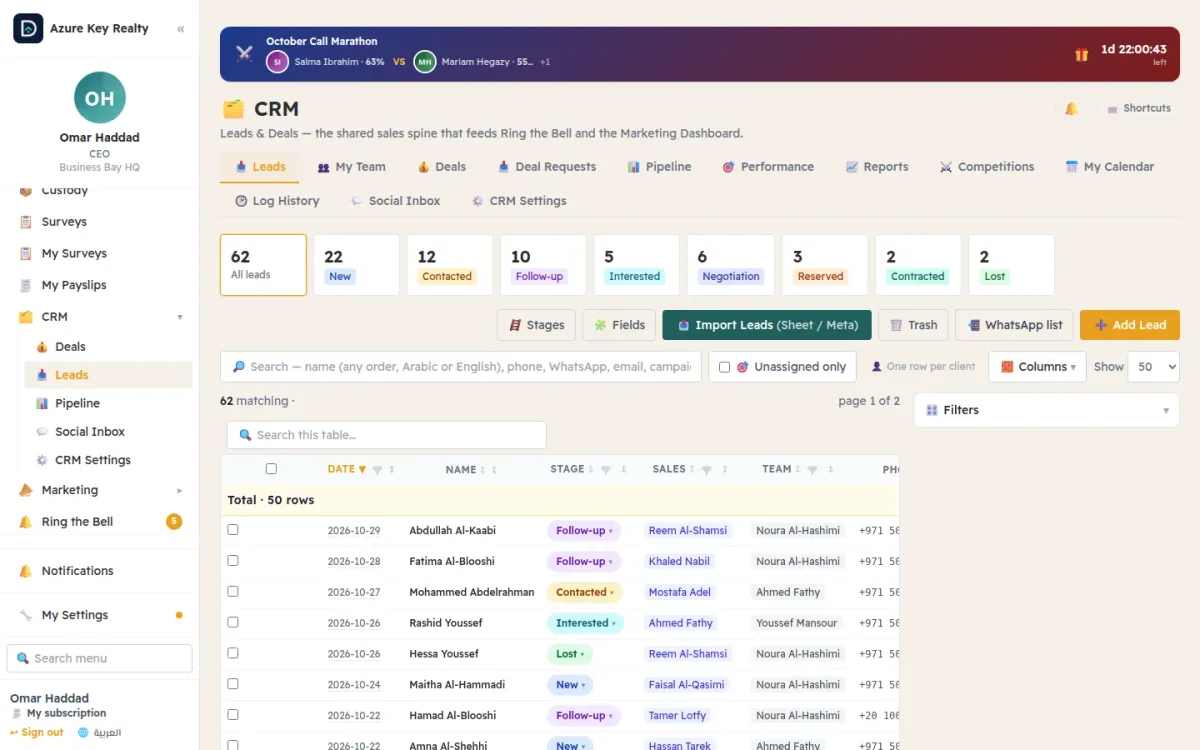
The CRM in Dealora, the real estate platform built and run by Keys of Success for brokerages in Egypt, Saudi Arabia and the United Arab Emirates, holds leads, clients, deals, the pipeline, sources and reports. It is on every plan, including the 3-month free trial on the Starter plan, so you can build your first cohort with real data. The lead list shows stage counts and each lead's date, stage, salesperson and team, which are the fields a cohort count needs.
Tie the rate to cost per lead with the Marketing Dashboard
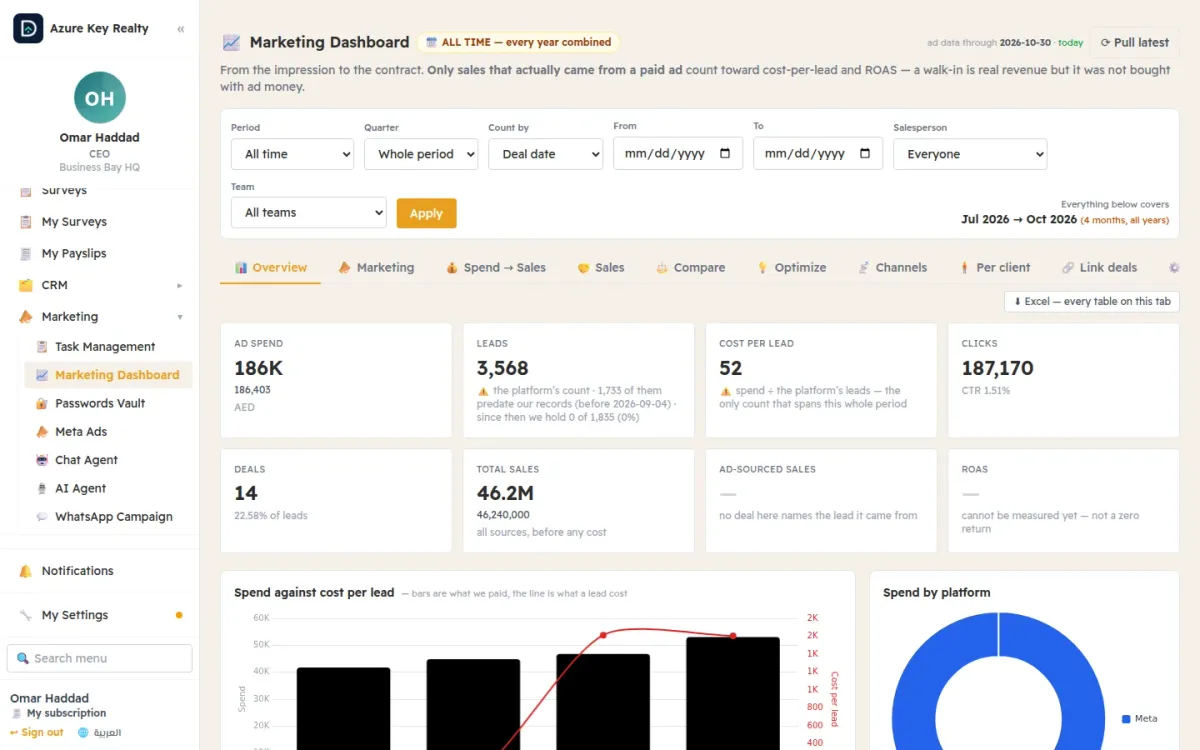
To connect the rate to ad spend, the Marketing Dashboard in Dealora shows spend to leads to sales, with cost per lead and return on ad spend. It starts on the Growth plan and needs your lead sources recorded consistently to be useful.
Protect the first reply with the Chat Agent
A slow first reply lowers the rate at the very first stage: the conversation cools before qualification even starts. Add the time of the first reply to your counting rules, so you can see whether slow replies sit behind a weak move from new lead to qualified.
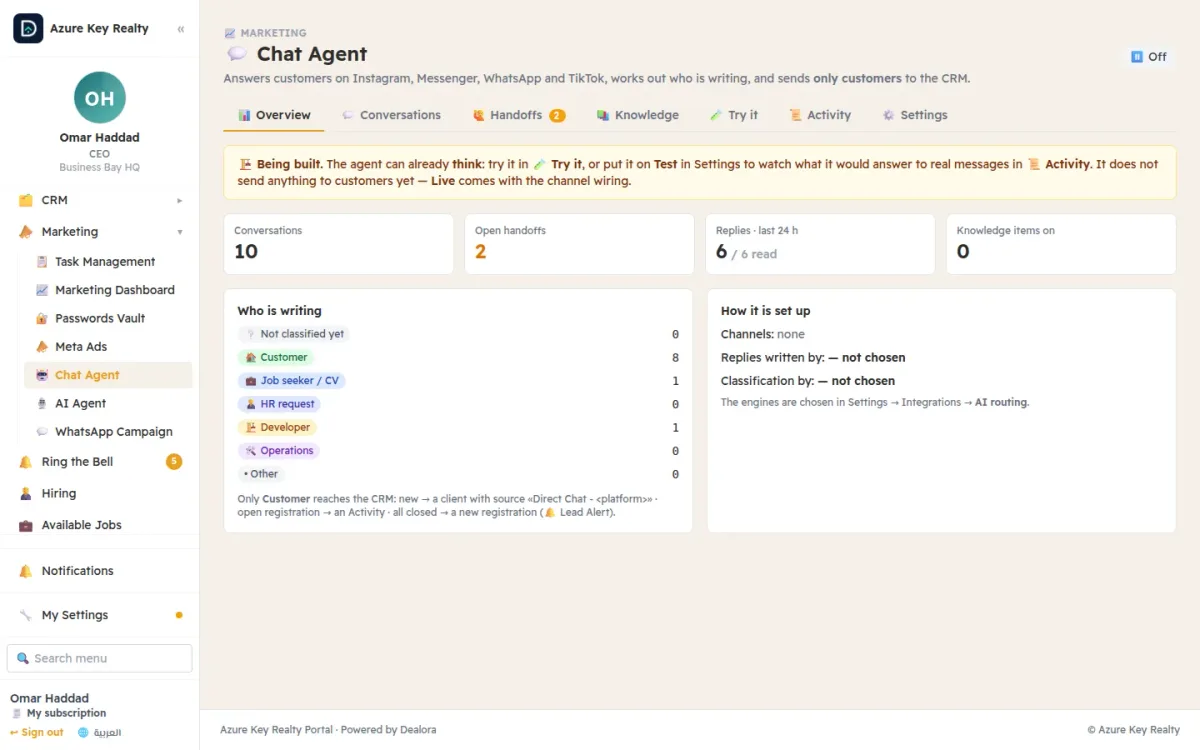
Dealora's Chat Agent answers customers on Instagram, Messenger, WhatsApp and TikTok from the company's own Knowledge, and sends only real customers to the CRM. It is included from the Growth plan, works only together with the AI Sales Agent add-on (a monthly subscription plus the calls, available from the Starter plan) and the company's own Meta connection (its Facebook page, Instagram and WhatsApp Business number), and is also charged by use. The safe way to start is to talk to it in Try it, teach it in Knowledge and Documents, put it on Test, where it writes the answer it would send without sending anything, and only then switch it to Live.
Test any tool with your own leads
Before you rely on any tool, test it with your own March or April leads: can it group leads by creation date, show the count at each stage and split the same group by source? If you are still comparing options, Dealora's home page lists what its real estate CRM covers, so you can check it against these three questions.
A practical way to start: list your four definitions, export or enter last month's leads with their source and stage, and calculate the three rates from the formulas above. Then create a free Dealora account on the Starter plan and let the CRM keep the count from now on.
Frequently asked
What is a good lead to deal conversion rate in real estate?
There is no single figure that fits every brokerage, because the rate depends on the lead source, the price range, the market and how strictly a lead is defined. A better benchmark is your own history: compare this quarter's cohorts with last quarter's, and compare sources against each other inside the same company.
How do you calculate lead conversion rate?
Pick a group of leads, usually all those created in one month. Count how many of them ended in a closed deal, divide by the number of leads in the group and multiply by 100. For example, 10 closed deals from 200 leads is a 5% rate.
What is the difference between lead conversion rate and stage conversion rate?
Lead conversion rate looks at the whole route from lead to closed deal. Stage conversion rate looks at one step, such as qualified to viewing. Stage rates show where leads are lost; the overall rate shows the final result of all the steps together.
Why should I calculate conversion rate by lead source?
Sources behave differently. Referrals, property portals and social ads bring leads with different intent, so a blended rate hides which ones turn into deals. Splitting by source tells you where follow-up effort and marketing budget are better placed.
How many leads do I need before the rate means anything?
There is no fixed threshold, but a source with only a handful of leads can swing wildly on a single deal. Treat small groups as a note, not a verdict. Combine several months for that source before changing budget or staffing.
Can a CRM calculate lead conversion rate automatically?
Yes, if every lead has a creation date, a source, a pipeline stage and an outcome. A CRM with a pipeline, sources and reports counts the groups for you. Dealora's CRM holds leads, clients, deals, the pipeline, sources and reports on every plan, including the free Starter trial.
Related

Read next
- Real Estate Drip Campaign: Build a Follow-Up Sequence A step-by-step build of a real estate drip campaign for new property leads: the trigger, five messages over 14
- All in One vs Separate Real Estate Software: How to Decide Five apps for CRM, WhatsApp, ad reports, HR and files cost a brokerage hours of re-typing and lost lead histor
- AI to Human Handoff in Sales: 8 Triggers for a Brokerage Eight concrete triggers for passing a chat from an AI agent to a salesperson, plus how to assign it with conte
- Real Estate Buyer Persona Template: 4 Fields and CRM Tags A fill-in persona card for brokerages: four fields (budget, location, purpose, timeline), five worked examples